Sign a PDF online: in 2 minutes, without a printer
To sign a PDF online you need neither a printer nor a scanner: you draw your signature in the browser (with a mouse, a trackpad, or on your phone's touchscreen via a QR code), place it where it belongs in the document and download the signed PDF. With PDeF this happens locally in your browser, the file is never uploaded.
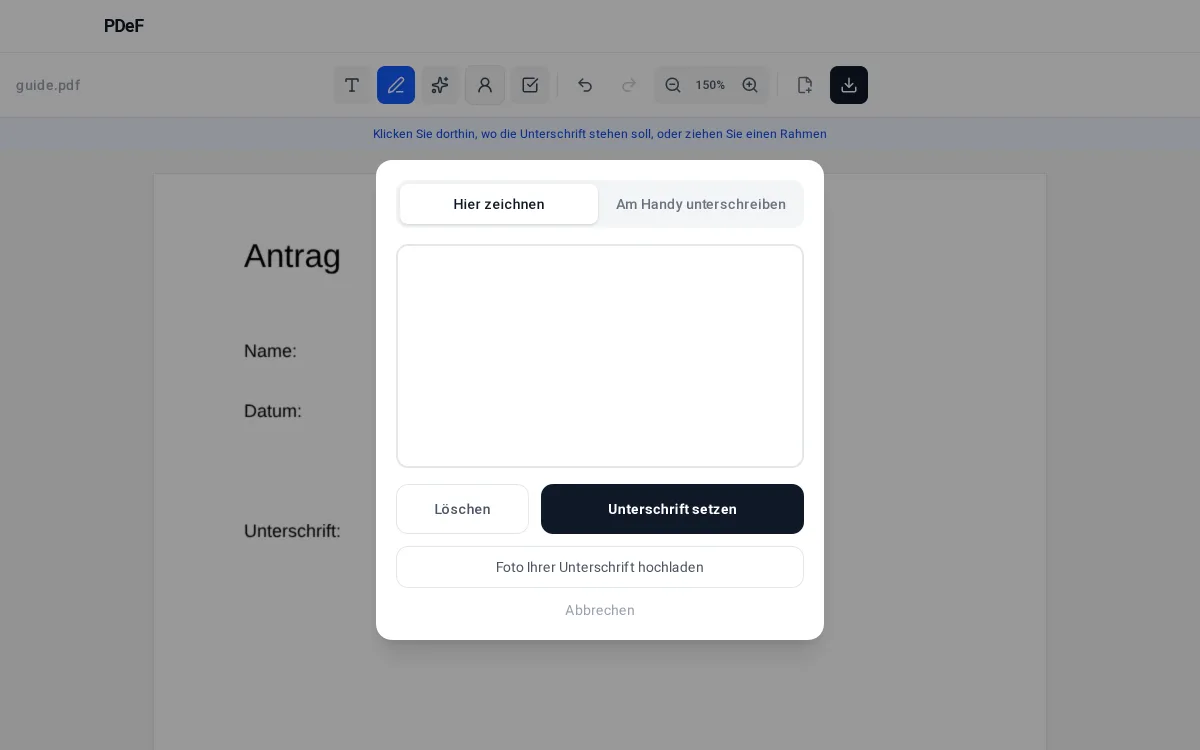
1. Open the PDF and pick the signature tool
Load the document into the editor and select the pen icon in the toolbar. Then click the spot where the signature should sit.
2. Draw the signature or fetch it from your phone
In the dialog you can draw the signature directly, upload a photo of your signature, or choose „Sign on phone“: a QR code appears, you scan it with your phone and sign comfortably on the touchscreen. The signature lands in the document on your desktop automatically.
3. Adjust position and size
The inserted signature can be moved, scaled and, if needed, rotated or recoloured. The aspect ratio is preserved so the signature still looks natural.
4. Download the signed PDF
The download button saves the finished document. The signature is embedded transparently and sits cleanly over the signature line.
Note, not legal advice: a drawn signature is a simple electronic signature (SES) under the eIDAS regulation. For many everyday documents (forms, confirmations, terminations without a written-form requirement) it is common and sufficient. Where a law explicitly requires the written form (§ 126 BGB) or a qualified electronic signature (QES), a drawn signature is not enough. When in doubt, ask the recipient which form they accept.
Werbung
Frequently asked questions
Is a drawn signature in a PDF valid?
For most everyday documents yes: it counts as a simple electronic signature (SES). Only where the law demands the written form or a qualified electronic signature is more needed.
How do I sign with my phone?
In the signature dialog choose „Sign on phone“, scan the QR code with your phone camera and draw the signature on the touchscreen. It appears in the document on your desktop automatically.
Is my signature stored?
Only locally in your browser, so you can reuse it next time. In the phone transfer the signature image is deleted from the server immediately after handover.
Can I use a photo of my signature?
Yes. Photograph your signature on white paper; the editor removes the background automatically and inserts it transparently.
Can I adjust the inserted signature afterwards?
Yes. Once placed, the signature can be moved, dragged bigger or smaller and rotated if needed. The aspect ratio is preserved so it looks natural and sits cleanly on the line.
Can I sign several documents one after another?
Yes. The browser remembers the signature you drew locally, so in the next document you insert it with one click without drawing again.
Free, no account, nothing uploaded to a server
Fill a PDF now